Cell-based architecture gets pitched almost entirely as a reliability pattern, and it is one — the AWS Well-Architected Framework files it directly under the Reliability pillar’s bulkhead guidance. But it touches all six pillars once you actually build it, and at least two of them — cost and sustainability — tend to get discovered the hard way, after the architecture is already in production and the bill has arrived.
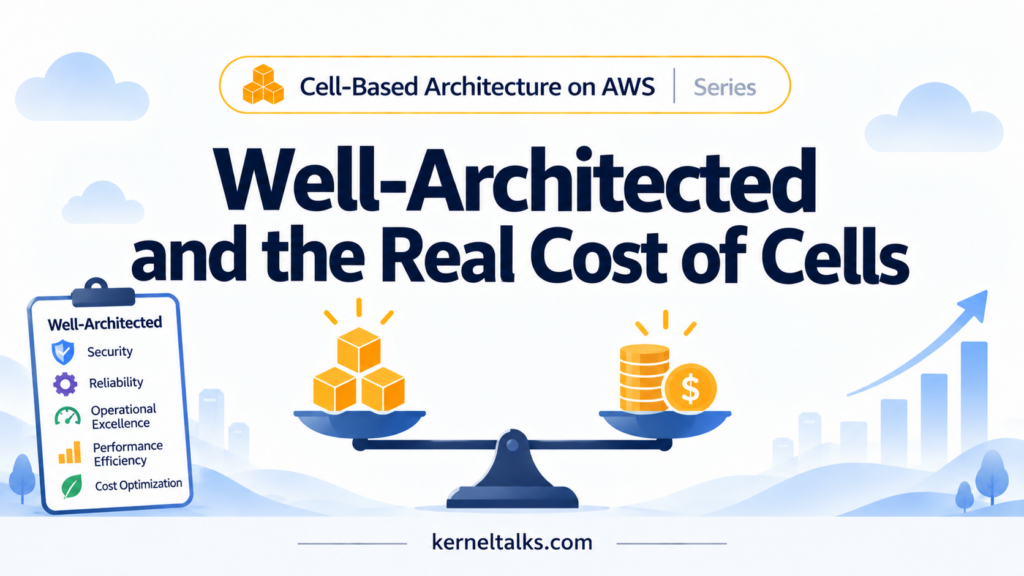
Running it through all six pillars
Reliability is the pillar cells were designed for, and it’s the easy one: smaller, isolated fault domains, contained blast radius, and a natural unit for fractional deployment.
Operational excellence cuts both ways. Cells give you a clean unit for canary releases and bake time, which is a genuine operational win — but every cell you add is another entry in the on-call runbook, another set of dashboards, another thing that can silently drift out of configuration with its siblings if your automation isn’t keeping up.
Security benefits in the same shape reliability does: a leaked credential or a misconfigured IAM policy inside one cell doesn’t automatically hand over the rest of the estate. The cost is that you now have N sets of IAM roles, N certificates, and N network boundaries to keep patched and rotated instead of one.
Cost optimization is where the trade-off gets sharp, and it’s covered in more detail below.
Performance efficiency tends to improve with smaller cells, because a noisy neighbor problem shrinks to the size of one cell instead of the whole platform. AWS’s ad-serving case is a clean illustration in the other direction: when tenants shared in-memory state on common infrastructure, one tenant with a large dataset could trigger memory pressure that degraded everyone sharing that heap, which is precisely the failure mode dedicated per-tenant compute was brought in to solve.
Sustainability is the pillar cell-based architecture can quietly work against. Fixed-cost resources replicated per cell — a NAT gateway sized for peak, a node pool that never scales below some minimum — sit idle a lot of the time by design, since isolation means you can’t pack unrelated tenants’ spare capacity together. Idle reserved capacity is wasted energy whether or not the AWS bill makes that obvious.
The cost math that catches people off guard
A few numbers are worth having in your head before you commit to a cell count.
An EKS control plane costs roughly $0.10 an hour, which works out to around $73 a month — and that’s before a single pod runs. Ten cell-per-cluster EKS deployments means roughly $730 a month in control-plane fees alone, on top of whatever compute those clusters actually run. ECS doesn’t have this problem in the same way — a cluster is a free logical construct, and billing starts at the task — which is a real reason cluster-per-tenant is a more forgiving pattern on ECS than on EKS.
AWS PrivateLink interface endpoints run close to $7.30 a month each plus data transfer, which is trivial shared once across a tier of cells and a real line item if you accidentally provision one per cell instead of pre-wiring it once at the tier level — the difference between those two choices is exactly what drove an 80 percent cut in network configuration overhead in AWS’s own ad-serving redesign.
And the starkest number in that same case study isn’t a unit price at all — it’s utilization. Before the redesign, the isolated-per-tenant fleet ran at roughly 3 percent average CPU and 19 percent average memory, with servers idle more than 98 percent of the time. That’s the cost of strict isolation taken to its logical extreme: every tenant’s capacity has to be sized for that tenant’s peak, and peaks, by definition, don’t happen most of the time.
Karpenter and the bin-packing tension
If you’re on EKS, Karpenter earns its cost savings mainly through consolidation — packing workloads onto fewer, better-utilized nodes and leaning on Spot capacity where it’s safe to. Karpenter documentation and the practical write-ups from teams running it at scale are consistent on this: it works best with a large pool of mixed workloads to bin-pack across dozens of nodes with varied sizes, not a handful of strictly-separated node pools each sized for one tenant.
Cell isolation deliberately works against that. If every cell gets its own NodePool to preserve the isolation boundary, you’re intentionally giving up some of Karpenter’s consolidation opportunity in exchange for the guarantee that one cell’s workload can’t crowd out another’s. That’s a legitimate, conscious trade — not a mistake — but it’s worth naming explicitly rather than discovering it as an unexplained line item during a cost review.
What this means for how you size cells
Everything above points back to the same conclusion from earlier in this series: start with fewer, larger cells, and shrink them as your tooling matures. A few practical habits follow directly from the cost picture:
- Bundle genuinely fixed-cost resources — a VPC, a NAT gateway — across a batch of cells where the blast radius trade-off allows it, rather than one per cell.
- Tier tenants by traffic profile instead of mapping every tenant to its own cell 1:1; group similar-sized tenants together and reserve full dedicated cells for the ones that actually need them.
- Revisit your cell count and size against the AWS Well-Architected Tool and the SaaS Lens periodically — this isn’t a decision you make once and forget, it’s one that should move as your tenant mix and automation both change.
There’s no version of cell-based architecture that’s free. The honest framing is that you’re buying blast-radius containment with a mix of duplicated fixed costs, reduced bin-packing efficiency, and extra operational surface — and the job of a good design is making sure you’re paying for isolation you actually need, not isolation you inherited from copying someone else’s cell count. The last post in this series covers the part that makes all of the above sustainable day to day: provisioning cells with infrastructure as code and shipping application changes into them with ArgoCD.
Share Your Comments & Feedback: